


Datavideo - 4K Switcher with Built-In Streaming Encoder
Datavideo Showcast-100 - 4K Switcher with Built-In Streaming Encoder
1057467

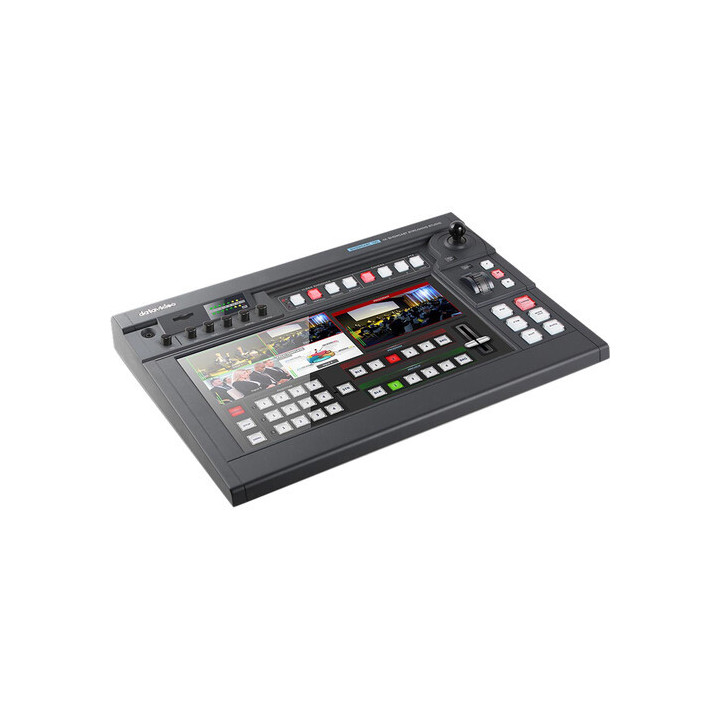
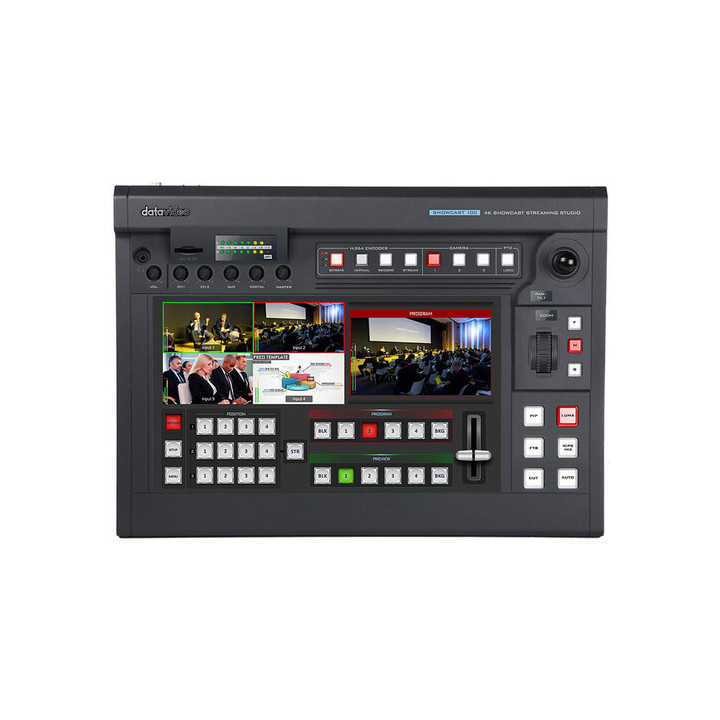


The SHOWCAST 100 is a brand new 4K 4-Channel All-in-one Production Studio that features 7 major functions. It can switch video, overlay text and graphics, control cameras, live stream, record, and mix audio all from a single unit.
Visuals Price
5,023.50 CHF
VAT excl.
5,430.40 CHF Inc. VAT
Manufacturer price 5 910,00 CHF VAT excluded
Made to order
-
Delivery
- Shipped in 2 to 3 weeks
-
In-store pickup
- Available in 2 to 3 weeks
The SHOWCAST 100 is an all-new 4-channel 4K all-in-one production studio that offers 7 main functions. It can switch video, overlay text and graphics, control cameras, livestream, record and mix audio, all from a single unit. Similar to a tablet, the 14-inch touchscreen allows for easy and intuitive access to switcher functions. 4K HDMI connections for inputs and outputs to connect to a 4K projector or IMAG display. RJ45 connections to control up to 3 PTZ cameras via serial protocol.n
The touchscreen allows for easy and intuitive access to a variety of switcher functions. The SHOWCAST 100 has many functions with an easy setup. Its unique all-in-one design streamlines your video production workflow by reducing the number of external devices you need to connect. The SHOWCAST100 is lightweight and compact. Its mobility makes it ideal for any live production environment.n
Video Switchingn
The four HDMI input/output channels are designed for the basic video production workflow of meetings, corporate conferences, church events, etc.n
Camera Controln
The SHOWCAST 100's built-in camera control functions allow you to simultaneously control three PTZ cameras. You can directly record lens position presets, pan and tilt the camera lens in real-time, zoom in and out of an image, and adjust white balance, iris and mirror mode.n
Subtitlesn
The SHOWCAST 100 offers two ways to overlay subtitles. A luminance key is typically used for logos, animated text, etc. Another way is to overlay subtitles using the built-in network streaming encoder.n
Video Streaming and Recordingn
The built-in dual live streaming encoder allows you to record and stream simultaneously. With the SHOWCAST 100's recording capability, you can easily save recorded video files for post-production edits without much effort.n
Virtual Buttonsn
The virtual buttons on the large touchscreen make it easy to use the switcher as well as set up presets for cameras. Using the SHOWCAST 100 is as simple as using a tablet. Produce professional video productions without having a steep learning curve on how to use and operate a switcher.n
Useful and Simple Transition Effectsn
Cut, Mix and Wipe are the three useful and simple transition effects built into the switcher. Via an easy-to-use 14-inch touch user interface, transition settings will be immediately accessible after selecting a particular effect. For example, if you have selected WIPE, you can easily adjust the transition speed by sliding a slider with your finger or tap to select a colour for the border.n
PIP and Splitn
PIP is often necessary in video production. Most of the time, the size of the PIP window needs to be adjusted for the program view. The SHOWCAST 100 allows you to slide different sliders on the touch user interface with your finger to set the aspect ratio of the PIP window. The split window is typically used for live interviews, corporate presentations and panel discussions.n
Camera Presetsn
Even though the SHOWCAST 100 can only control three PTZ cameras, you can save up to four presets per camera, giving you a total of 12 different angles for your production. The 12 memory presets allow the director to instantly switch from one camera angle to another on the SHOWCAST 100 by pressing the corresponding preset buttons.n
Fine-tuning Camera Settingsn
On the intuitive touch user interface, you can easily adjust the camera's focus, iris and white balance settings. Settings for a particular programme can be saved in memory presets for future use.n
Two Ways to Overlay Subtitlesn
The SHOWCAST 100 offers two ways to overlay subtitles. A luminance key is typically used for logos, animated text, etc. Luminance keys can be previewed on the multiview screen and transferred to the programme. Another way is to overlay subtitles using the built-in network streaming encoder. On the streaming encoder's web interface, enter the subtitle texts in the CG page's text field, after which the subtitle will be displayed on your streamed video when streaming starts and recorded on the SD card with the video. If both the luminance key and CG texts are displayed at the same time, they will all be recorded on the SD card.n
Luminance Keyn
Luminance is an image processing technique that deals with the brightness level of an image or video, thus generating a foreground subtitle or logo. The SHOWCAST 100's luminance function is designed for logos, text and animated images.n
Character Generation using the Network Streaming Servern
CG texts or images generated using the network streaming server can be overlaid on the video during streaming. The text size and colour can be customised with a border added. The position of the text or image can also be adjusted accordingly.n
Real-time custom captions and subtitles for your programmes such as news bulletins.n
Transcribe audio by entering subtitles line by line using News CG, then read out the subtitles in real-time by simply pressing the keyboard's spacebar.n
Adjust Size, Position, Colour and Bordersn
Highlight the information you want to convey to your audience. You can also transcribe audio by entering subtitles line by line using News CG, after which you can read out the subtitles in real-time by simply pressing the keyboard controller's spacebar.n
Live Streaming Encodern
The built-in dual live streaming encoder allows you to record and stream simultaneously. With the SHOWCAST 100's recording capability, you can easily save recorded video files for post-production edits without much effort. Depending on the bandwidth, you can set the bitrate to low, medium or high. To meet the growing demand for mobile viewing, portrait view can now be easily enabled on the SHOWCAST 100 by simply pressing the VERTICAL button so that viewers can watch the programme on their mobile devices while holding them upright without having to change orientation.n
Dual Streamingn
During video production, you can simultaneously stream to two live streaming platforms such as Facebook, Youtube and Twitch. With Datavideo dvCloud, you can stream to 25 live streaming platforms at the same time and automatically save your video files to the cloud server.n
dvCloud and SRTn
dvCloud is a professional live streaming platform developed by Datavideo. Once connected, you will be able to create and manage all video streaming channels on dvCloud and stream your video to 25 live streaming servers without any time constraints. The best aspect of dvCloud is that it allows you to save video files on the cloud server for future downloads. The SHOWCAST 100 forms a low-latency, secure and reliable streaming workflow with the SRT protocol and dvCloud server.n
Vertical Streamingn
For every live streaming video, 50% of the audience watches on mobile phones, and 94% of mobile users prefer to hold the phone upright to watch the video. It takes just a few basic configurations for the SHOWCAST 100's vertical streaming function to generate a portrait view of your streaming video.n
14-inch Touchscreen and Intuitive Operation using Touch User Interfacen
The traditional physical keyboard of the switcher is replaced by a professional touch user interface to enable video switching, subtitle overlay activation, camera control, video recording, audio mixing, etc. The use of these functions is intuitive and easy to learn, even for novice users. The SHOWCAST 100's intuitive touch user interface features multiple buttons, each assigned to a single function. The panel design divides functions into different groups. Like a tablet, the touch user interface is intuitive and easy to use.n
SD Card Recordingn
With the SHOWCAST 100's recording capability, you can easily save recorded video files for later editing, etc. without much effort.n
Audio Mixingn
The 4-channel audio mixer accepts embedded audio, two LINE input channels, one AUX channel and one HDMI audio channel, giving you the ability to mix audios while processing the image. The SHOWCAST 100 has two XLR/6.3mm composite ports for LINE inputs. The dual-channel RCA port is designed for analogue audio input. The RCA output is used to connect external audio equipment for audio monitoring.
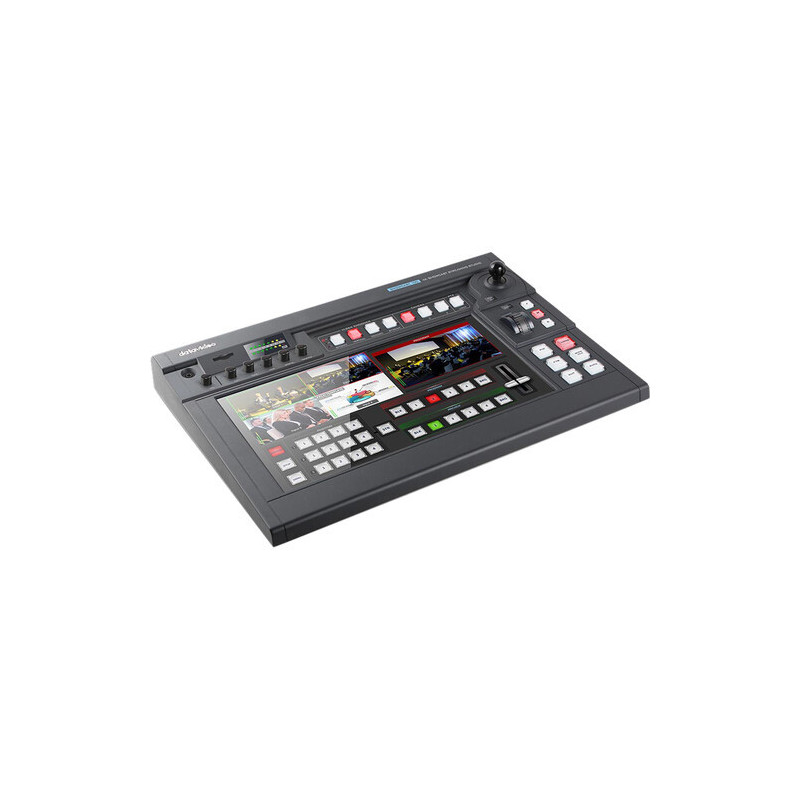
The SHOWCAST 100 is a brand new 4K 4-Channel All-in-one Production Studio that features 7 major functions. It can switch video, overlay text and graphics, control cameras, live stream, record, and mix audio all from a single unit.
Loading...